TABLE OF CONTENTS
- What are emailtriggers?
- Where to find emailtriggers?
- Best Practices & Common Use Cases
- More information
What are Emailtriggers?
Based on the interface for Course Editions, you can fine-tune how emails are handled for specific enrollments. This is called Email triggers. This allows you to depart from global settings to meet the unique needs of a specific edition. In general, all courses will use the default enrollment templates, but you choose to deviate from this.
Managing Enrollment Triggers per Edition
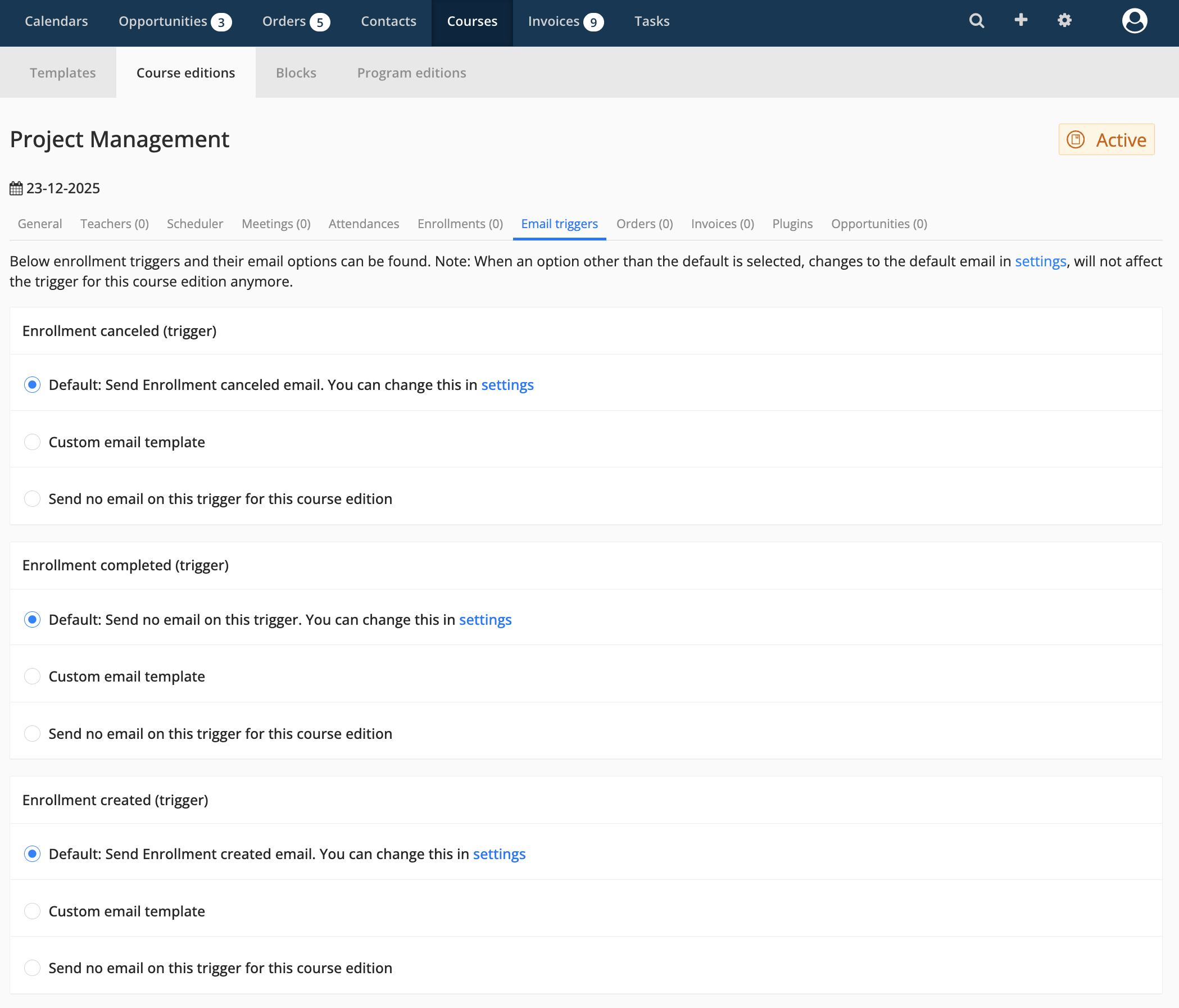
Within a specific Course Edition, navigate to the Email triggers tab to view available automation options. You can configure specific behaviors for various enrollment events, such as when an enrollment is created, completed, or canceled.
Trigger Configuration Options
For each enrollment event, you have three distinct choices:
Default: Uses the standard email template and settings defined in your global organization settings.
Custom email template: Allows you to select a specific template tailored exclusively for this course edition.
Send no email: Disables the automated email for this specific trigger and edition entirely.
Important: Changing the emailtriggers overrides the global settings for this specific course edition.
Note: If you select an option other than Default (such as a custom template or disabling the ail), subsequent changes
made to the default email in you global Email Settings will nog longer affect this specific course edition.
Where to find Emailtriggers?
- Go to "Courses" > "Course editions"
- Click on an Course edition
- Click on the tab "Emailtriggers"
Best Practices & Common Use Cases
PENDING
More information

Click here for other Articles around the Settings page in Eduframe

Click here if you have any questions for support.
Was this article helpful?
That’s Great!
Thank you for your feedback
Sorry! We couldn't be helpful
Thank you for your feedback
Feedback sent
We appreciate your effort and will try to fix the article